Inventory Management
Multi-unit support, batch tracking, expiry alerts, and Excel bulk import.
Offline-first accounting
Manage your inventory, POS, and double-entry ledgers — all offline. The professional choice for small businesses that value data privacy.
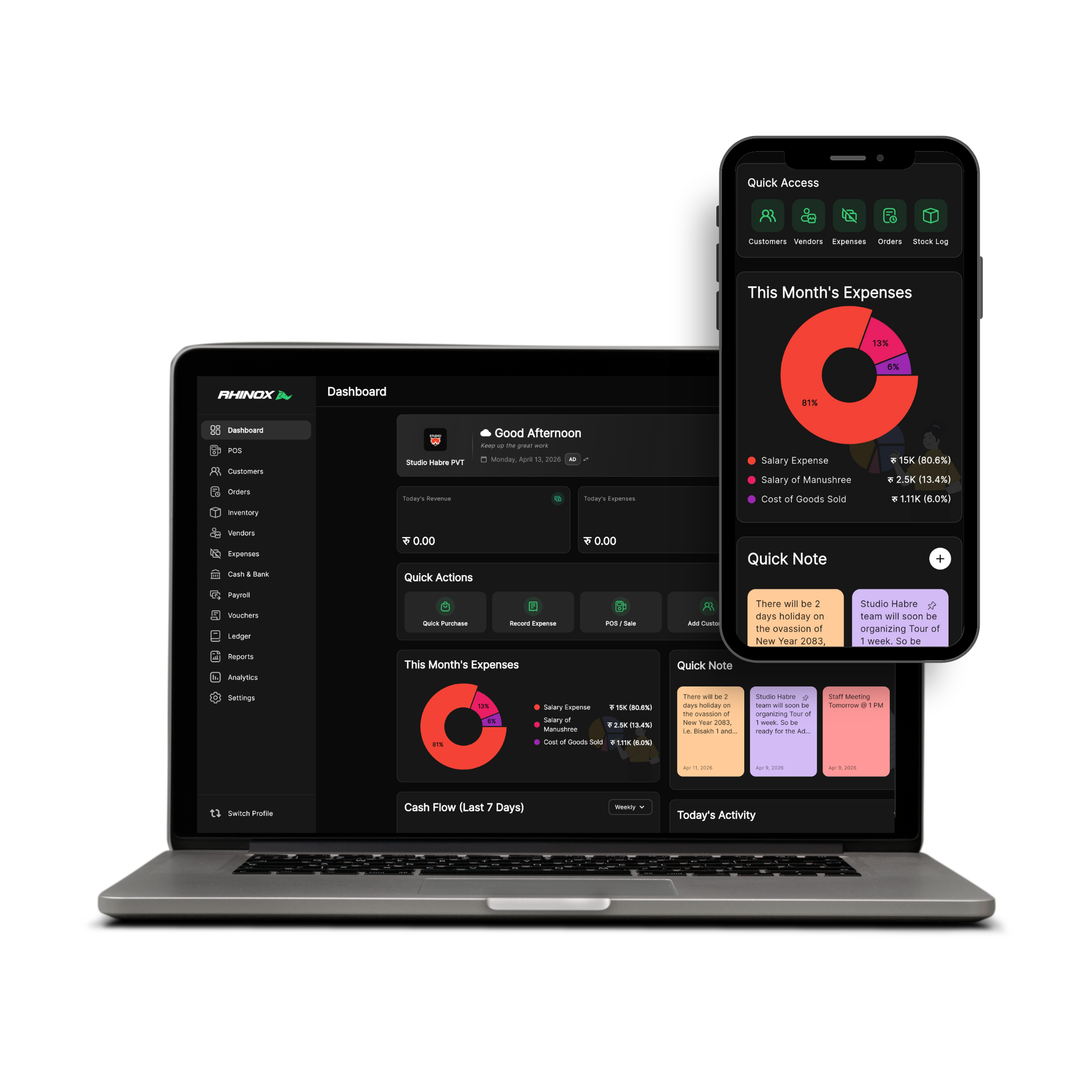
Real double-entry integrity, inventory depth, and POS speed — without handing your business data to the cloud by default.
Multi-unit support, batch tracking, expiry alerts, and Excel bulk import.
Rapid billing, discounts, taxes, split payments (Cash/Bank/UPI), and credit sales tracking.
Vouchers (Receipt/Payment/Contra), journal entries, and fiscal year closing.
P&L, balance sheets, trial balances, and sales trend charts.
One product philosophy: your desktop is the source of truth. Your phone keeps you informed when you step away.
Your data, your device, your business.
Start with a full-access trial. Upgrade when RhinoX Ledger fits your workflow.
6 Months
NPR 483.33 / month
NPR 2,900
1 Year
Most PopularNPR 408.33 / month
NPR 4,900
2 Years
NPR 370.83 / month
NPR 8,900
Lifetime
One-time payment
NPR 14,900
Taxes may apply. Cloud sync is optional and under your control.
Get RhinoX Ledger on your desktop and stay connected on mobile when you choose to sync.
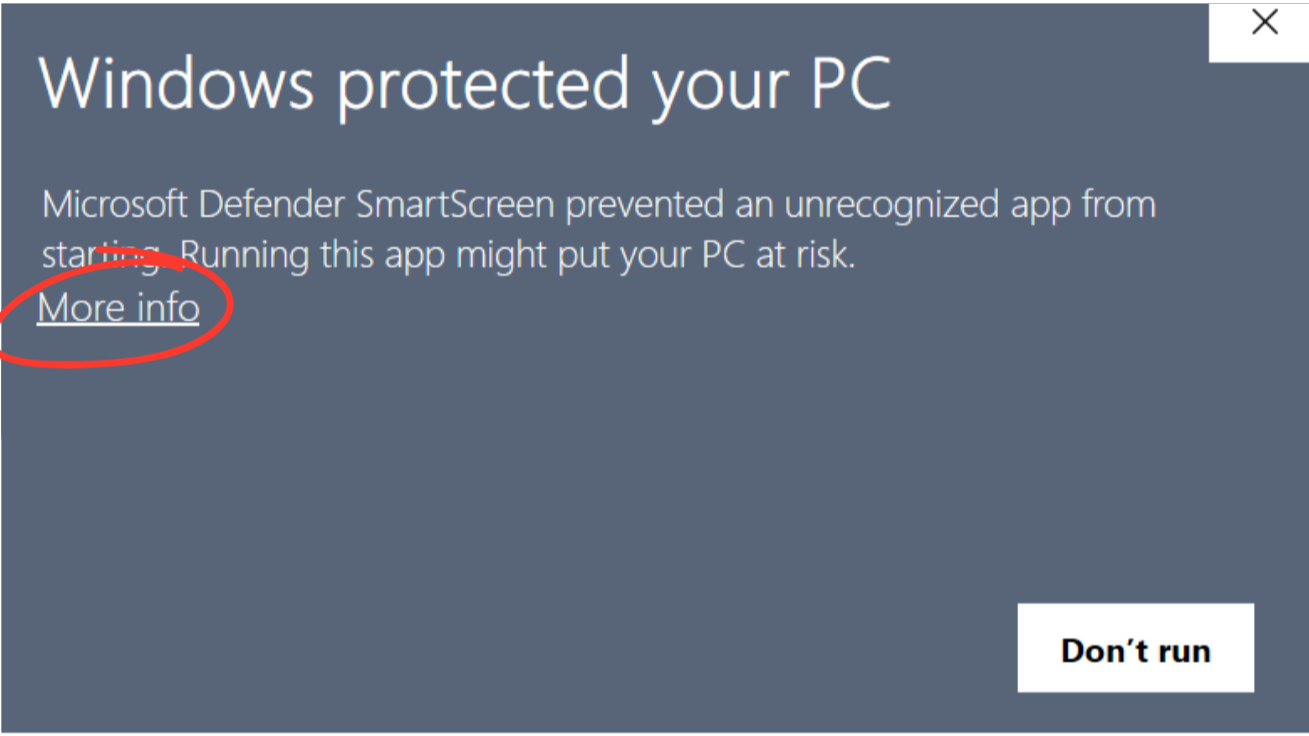
When you run the installer for the first time, Windows SmartScreen may show a security warning. This is normal for new software. Follow the steps below to proceed.
Step 1: Click "More Info"
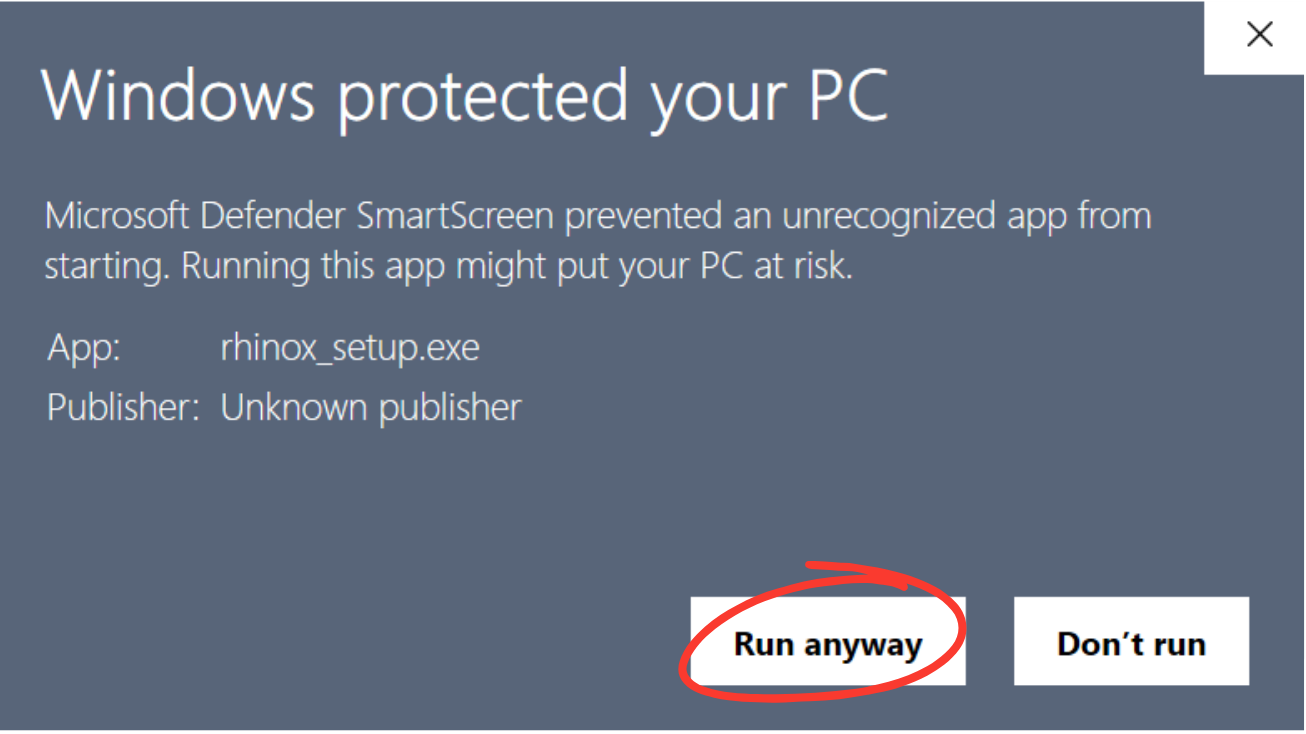
Step 2: Click "Run anyway"